Why streamlined invoicing matters for freelancers
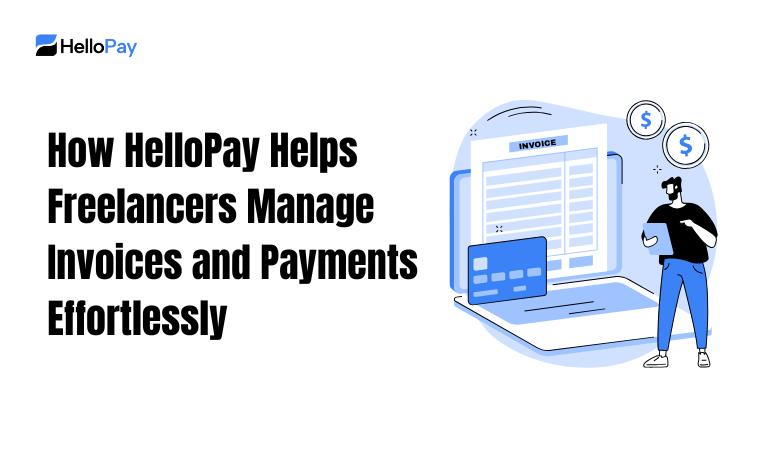
For freelancers, there are countless hats to wear: creator, marketer, project manager and accountant. The time-sucking part of running a freelance business, one of them at least, is keeping track of invoices and chasing payments. Freelance invoice management is an overhead cost at the best of times, and done efficiently will result in both better cash flow and client relationships. A new payment solution built with freelancers in mind can streamline billing at every part of the process — from creating professional invoices to monitoring payments and settling accounts.
Key features that make invoicing effortless
Automated invoice creation and customization
A solid payment option allows freelancers to create professional-in-look invoices fast. Rather than create invoices from scratch using a fresh form, you select templates and add line items, taxes or discounts, and client information to save for future use. Automating invoicing minimises errors and makes billing consistent, meaning you can present the highest level of professionalism to your clients and get paid even faster.
Payment automation for freelancers
As for the freelancing payment automation, it is automating invoicing and reminders where you don’t chase your clients down manually. Repeat billing is perfect for your retainers, and automatic reminders limit late payments without hurting the client relationship. Clients are much more likely to pay on time when they get a clear, timely reminder and can easily make the payment.
Multiple payment methods and instant links
Providing more than one payment option and adding “one-click” payment links makes life easy for clients. And when invoices contain the ability to instantly pay, clients can pay right then and there, cutting down on the time invoice-to-cash. For freelancers, faster payments translate to improved cash flow and less time spent chasing after the money.
Integrated tracking and reporting
Great freelance invoice management gives you real-time insight: see at a glance which invoices are awaiting payment, long overdue or paid. Dashboards and reports enable you to identify trends, predict income and make informed decisions. Integrated reporting saves time by eliminating manual spreadsheets and consolidating all financial data in one location.
Practical workflows to reduce admin time
Set up client profiles once
Add and manage clients profiles with billing and payment preferences, project info. When a new invoice is required, just pull up the client profile to auto fill in fields. This minimizes duplicate re-entry for less risk of error. e chance of mistakes.
Use standardized invoice templates
Templates guarantee invoices contain all required information: invoice number, date, payment terms and line-item descriptions and total due. Uniformity might color the way that clients approach paying you, and it can help keep your bookkeeping tidy.
Automate reminders with a human tone
All automatic reminders should be customizable so that you can sound like yourself. Establish a cadence — say, a friendly reminder one week prior to due date, follow-up on the due date and then a polite nudge if unpaid after a week. Automating these communications is a big time-saver, and allows you to be less reliant on client goodwill/niceness.
Handling disputes and partial payments
Clear terms reduce confusion
Having clear payment terms on each invoice can prevent disputes. Indicate if a deposit is needed, how revisions will be handled in billing and what your policy is for lates and refunds. When conflicts do emerge, clear recorded terms help to address them.
Record partial payments and apply credits
A robust payment system allows you to accept partial payments and apply credits toward future invoices. This ‘flexibility’ mirrors real life work flow with clients and automatically balances the books without having to manually adjust a ledger.
Reconciliation and bookkeeping made simple
Exportable records
Export invoices and payments, along with client activity to CSV or spreadsheet format for easy import to your accounting software, or send them directly to your accountant. Exportable records can help make tax time and quarterly checkups easier.
Automated reconciliation
With automatic payment matching to invoices, reconciliation is fast and predictable. Automated matching prevents errors and guarantees the money you report as income matches deposits in your bank account.
Security and compliance considerations
Secure payment processing
You want to make sure that the payment system is encrypted and safe processing so no customer’s financial data is compromised or stolen. Legal protection to business A secure system is able to build on clients trust.
Tax and regulatory compliance
A good system assists you in tracking what is taxable, calculating VAT or sales tax if applicable and producing reports at tax time. It also reduces the risk of penalties and allows for tax planning.
Tips for choosing and using a payment solution effectively
Start with clarity about your needs
Determine what the most essential features for your freelancing practice are: recurring invoices, several payment methods, worldwide billing or reports seamlessly built into the tool? Focus on which tools are solving the most painful problems for you.
Keep processes simple and consistent
Normalize the billing process, how you onboard your clients, when you invoice, in what progressions and intervals, frequency of follow-ups and reconciliation. It also saves time and makes your financials predictable.
Review and refine periodically
Those quarterly reviews of your billing workflows shed light on where you have bottlenecks and opportunities, while forcing a critical eye on the limitations imposed by legacy systems. Review average payment times, the most common reasons payments are disputed and whether automated messages work. This data will allow you to iterate on templates, terms, and reminders.
Realistic benefits freelancers can expect
- Saved time on admin work by automating invoicing and chasing for payments.
- Faster payments with QR codes and clear invoices.
- BETTER visibility into your cash flow via real-time dashboards and reports.
- Less squabbling thanks to clear terms and steady invoices.
- Simplified bookkeeping and tax filing: Downloadable records, automated reconciliation.
Conclusion: Practical next steps for freelancers
Use the straightforward card-based interface to handle invoices and payments seamlessly establish client profiles, take advantage of pre-built templates, activate freelancers’ automatic payment system, and trust in integrated reporting for reconciliation. Put a security and compliance focus on everything, and continue to improve your workflows every quarter. By reducing administrative friction and maximising the efficiency of how bills are sent and paid, freelancers can concentrate more on providing value and expanding their businesses – rather than chasing payment.
Frequently Asked Questions
How can freelancers speed up payments?
Freelancers can speed up payments by using clear, consistent invoices, offering multiple payment methods and instant payment links, and enabling automated reminders and recurring billing when appropriate.
What features help reduce bookkeeping time?
Features that reduce bookkeeping time include exportable records, automated reconciliation that matches payments to invoices, real-time dashboards, and standardized invoice templates.